The software,
screen by screen.
Every image on this page is a real screenshot of PalletLab in use. Nothing is simulated, nothing is retouched: these are the screens you will have in front of you.
PalletLab in forty seconds.
A filmed demonstration of the software in use: the pallet goes together board by board, the cost price follows every change, and the quote goes out at the end.
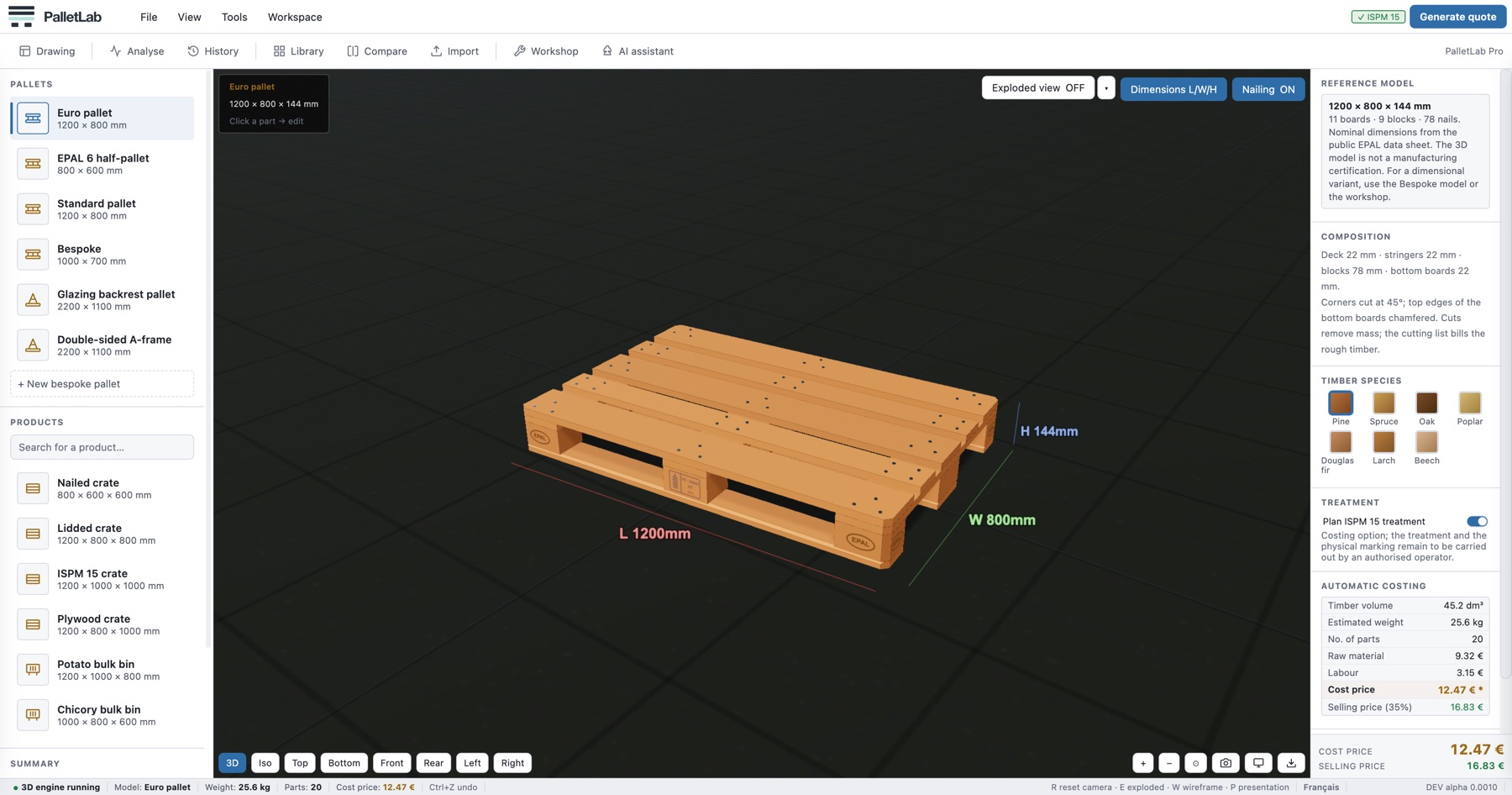
The configurator.
You pick a model, you adjust the dimensions, the timber species, the options. The pallet redraws in 3D and the cost price recalculates on every change, without ever leaving the screen.
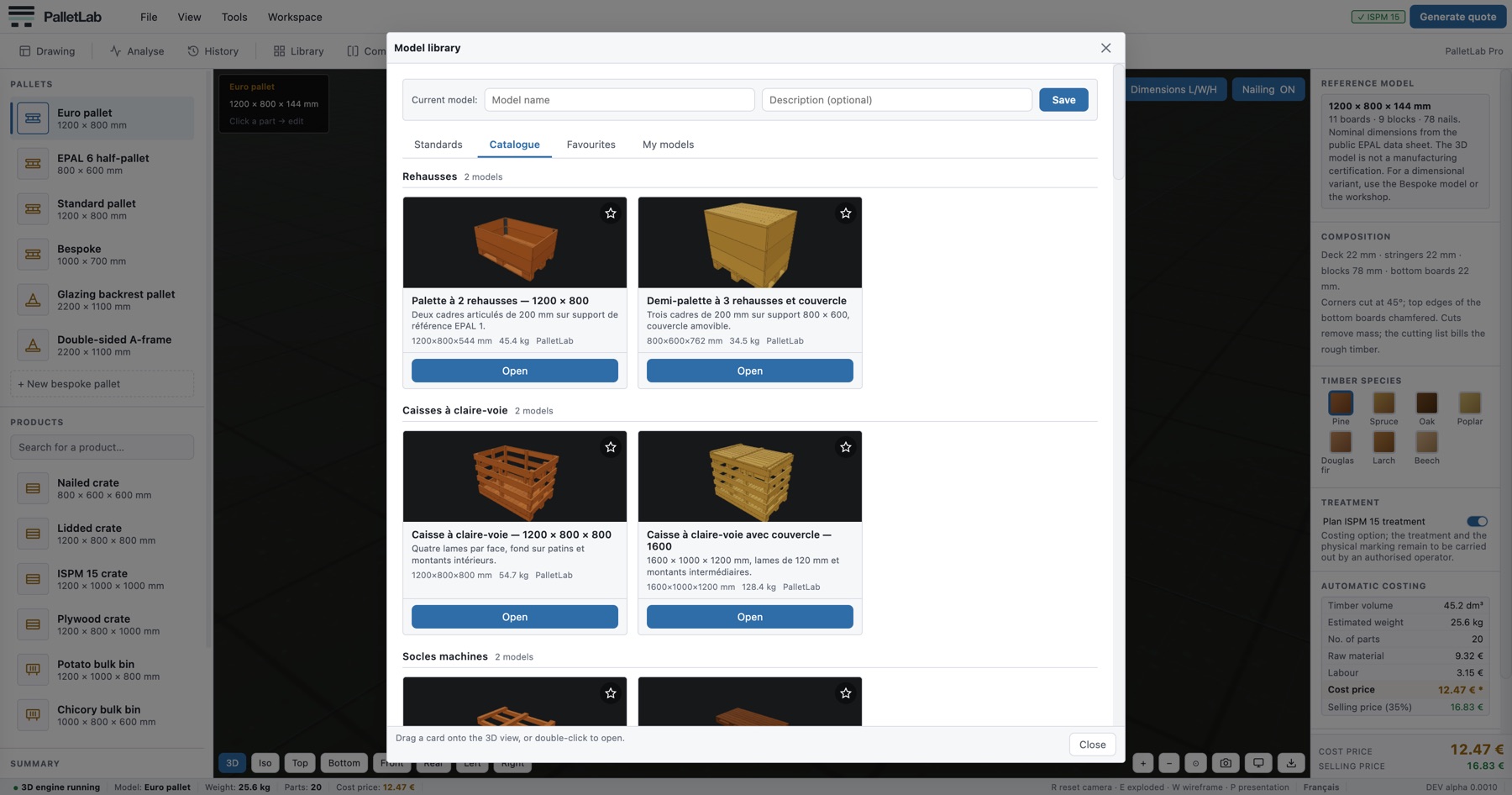
The catalogue.
Thirty-six ready-to-use models, grouped by family: pallets, crates, bulk bins, A-frame racks. Every thumbnail is a render from the engine, not a photograph. One double-click and the model is loaded.
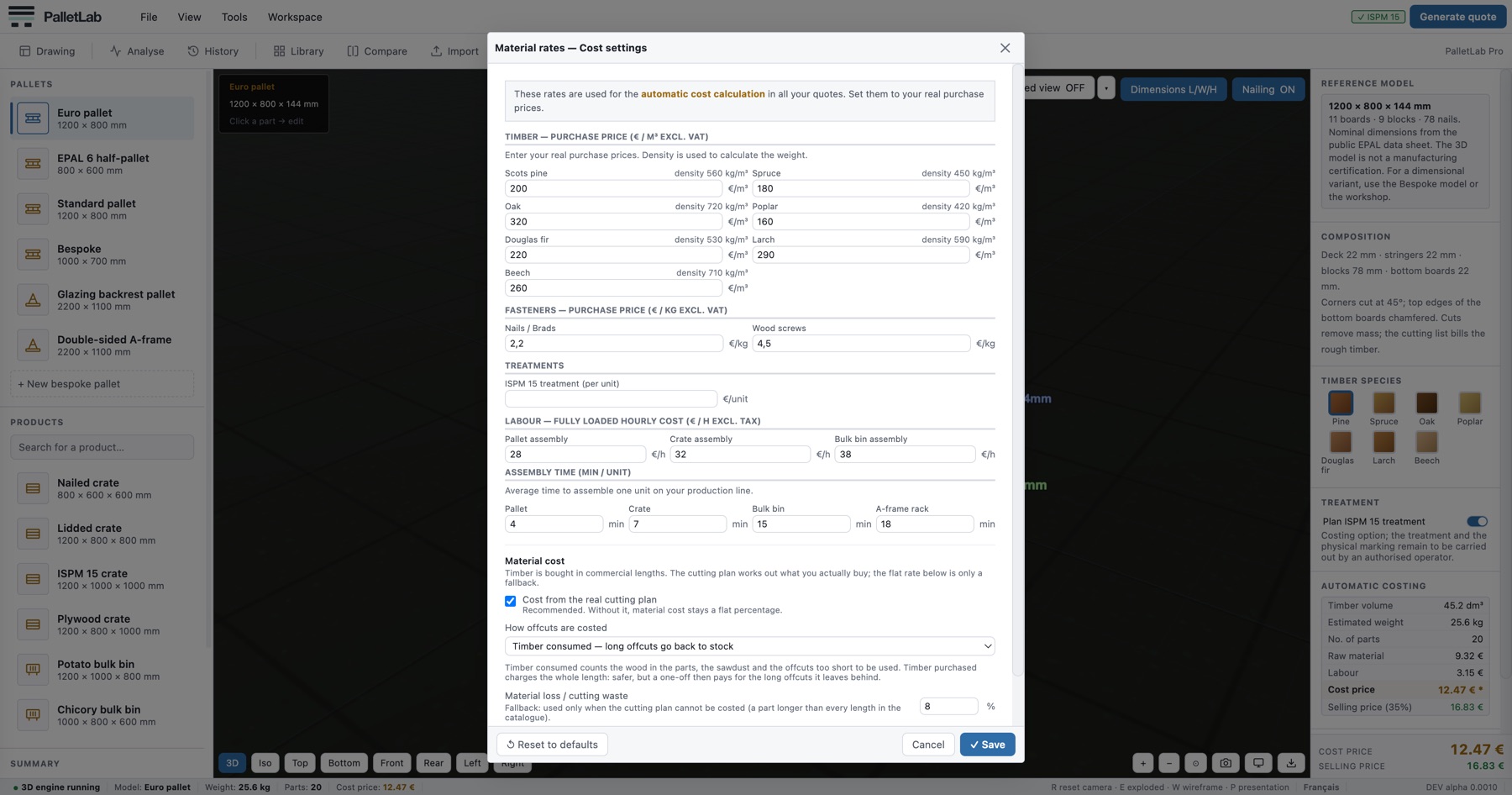
Your rates, not ours.
Purchase price per m³ for each of the seven species, nails and screws by the kilo, ISPM 15 treatment, your fully loaded hourly labour cost, assembly time, waste rate. Everything that goes into a cost price is set here, once and for all.
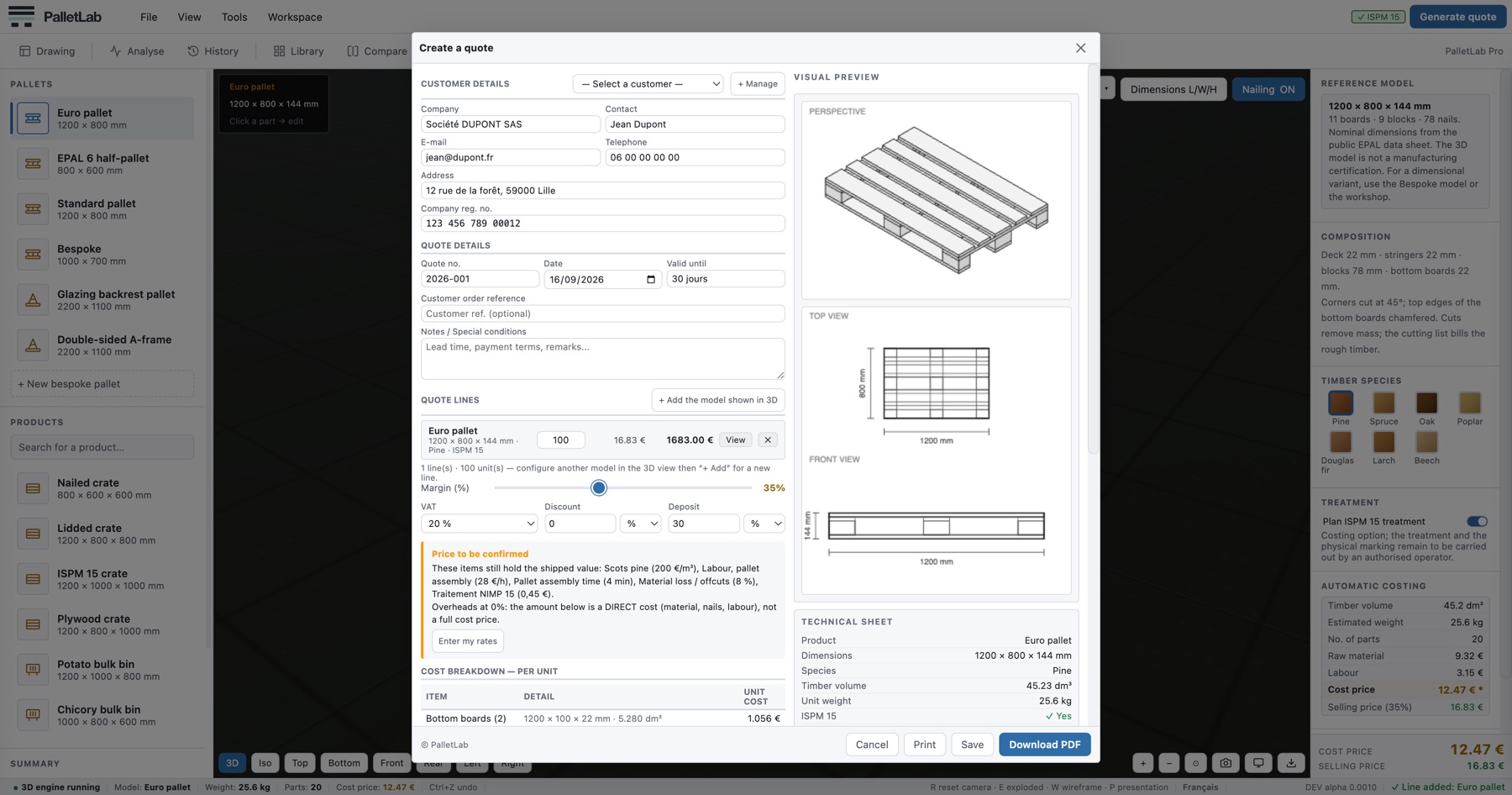
The quote.
Customer, quantities, discount, VAT, deposit. Every amount is rounded to the penny then used as the basis for the next: if your customer redoes the sums on a calculator, they get the same figure. The PDF goes out on your letterhead, with technical views of the model.
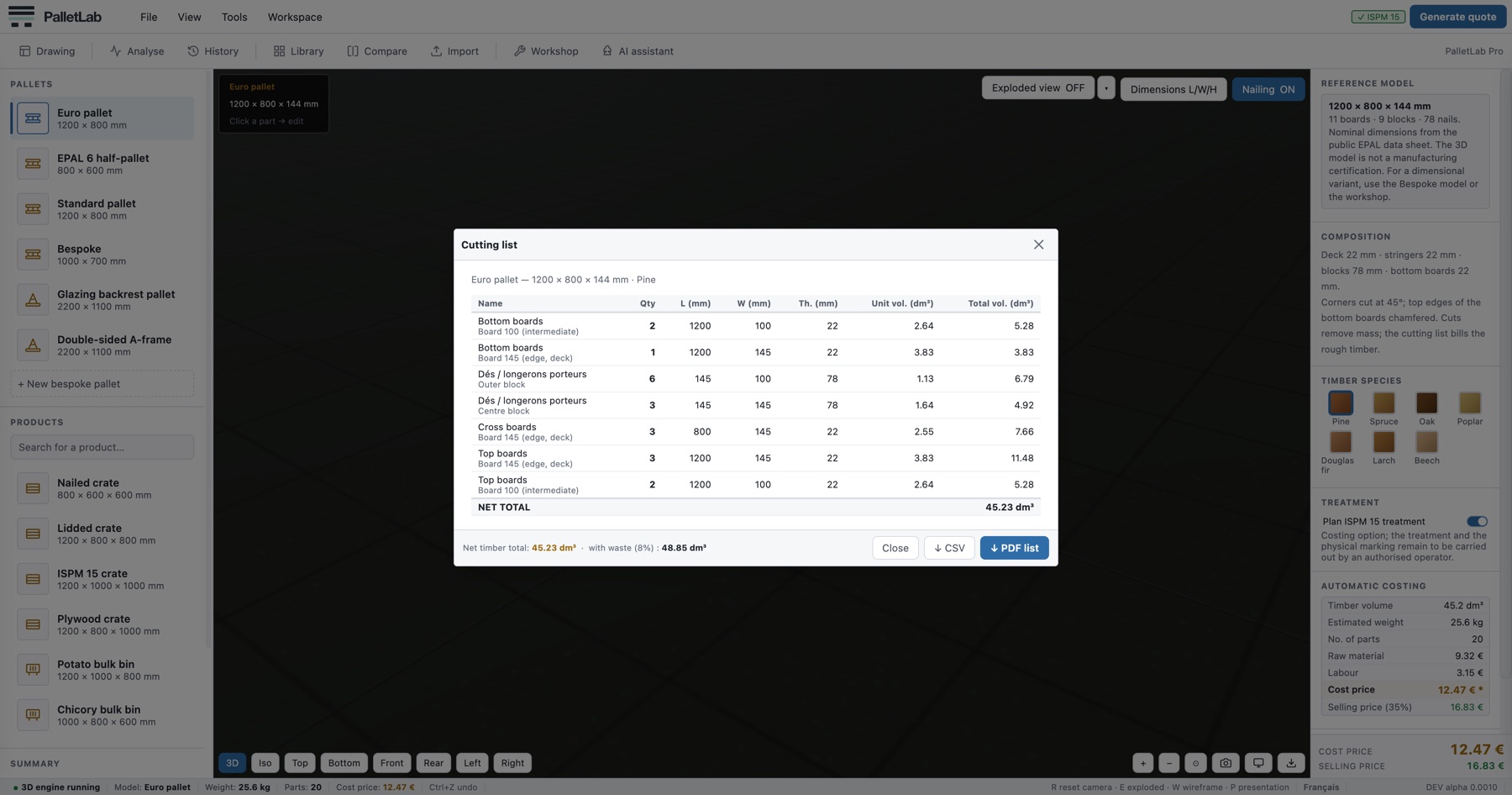
The cutting list.
Sections, lengths, quantities, volumes: the complete bill of materials, to the millimetre, ready to go down to the workshop. The total volume is consistent with the material cost to within 0.15%, and the CSV export feeds straight into your management system.
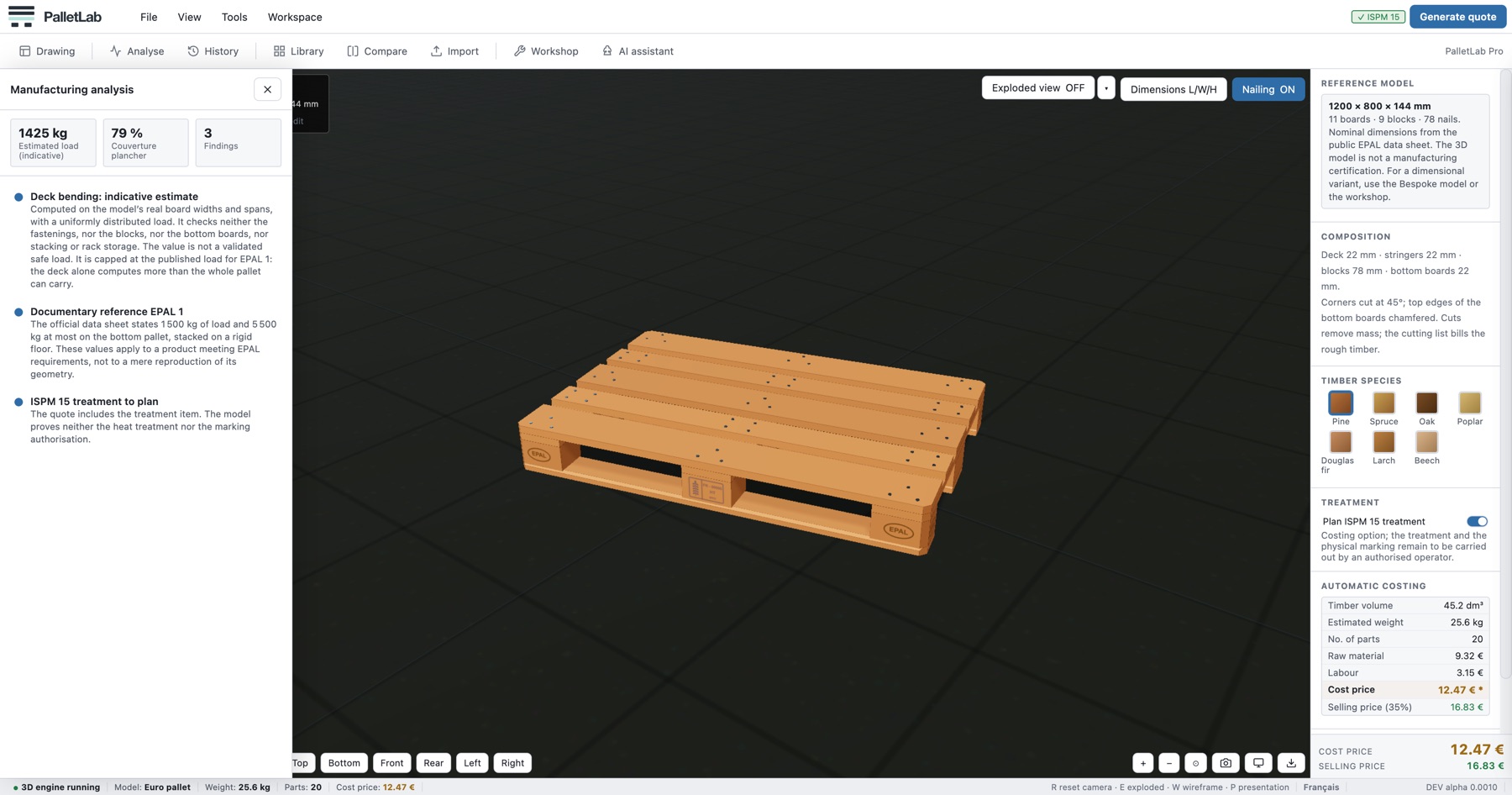
The manufacturing analysis.
The software reviews your design before the saw runs: permissible load, deck coverage, spacings, supports. Doubtful points are flagged with an explanation, not just an error code.
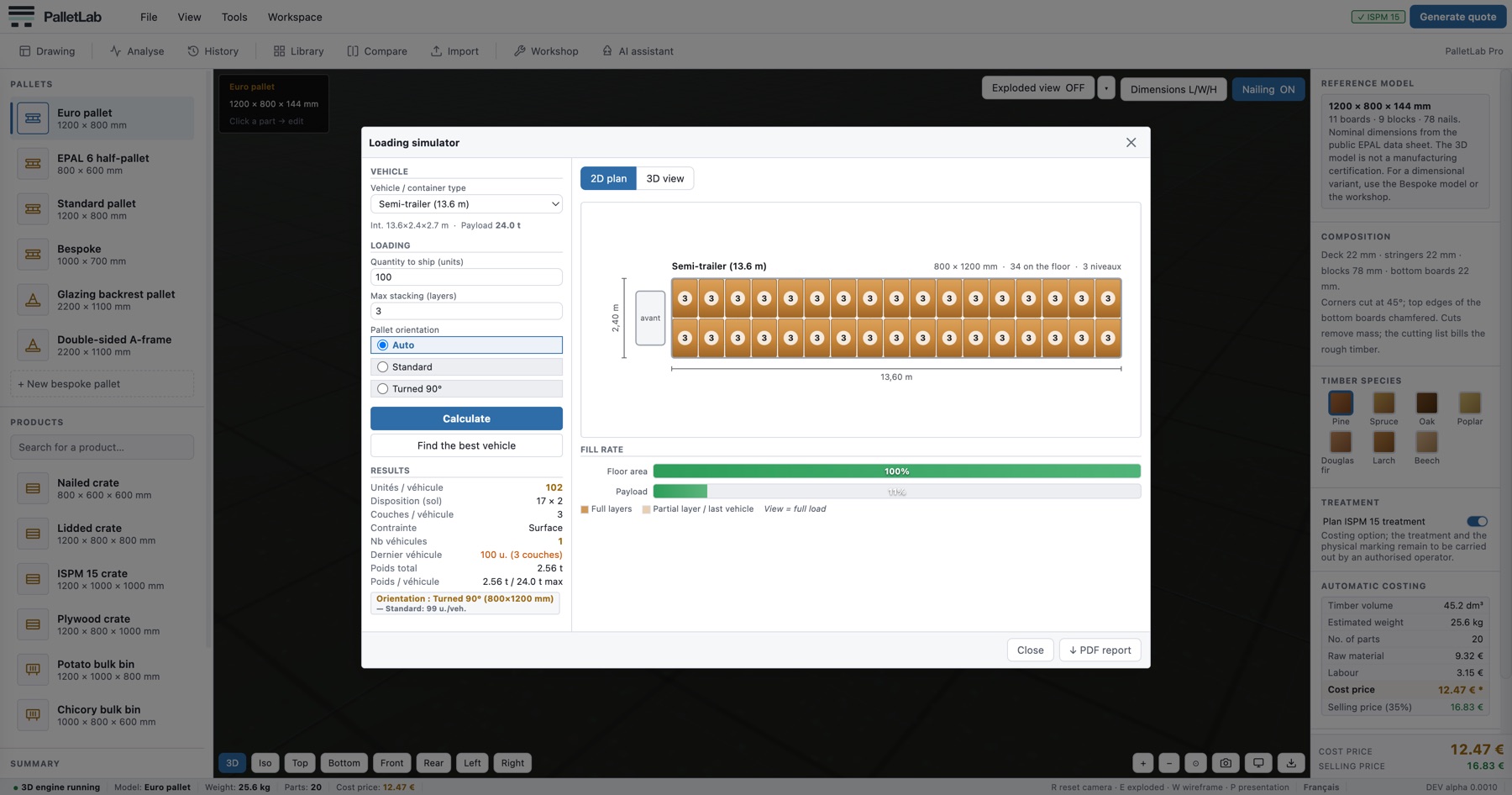
Loading.
How many pallets fit in a semi-trailer, in a 20- or 40-foot container? The simulator works out the floor layout, the stacking, the number of vehicles and the fill rate. Enough to answer the customer without drawing up a loading plan by hand.
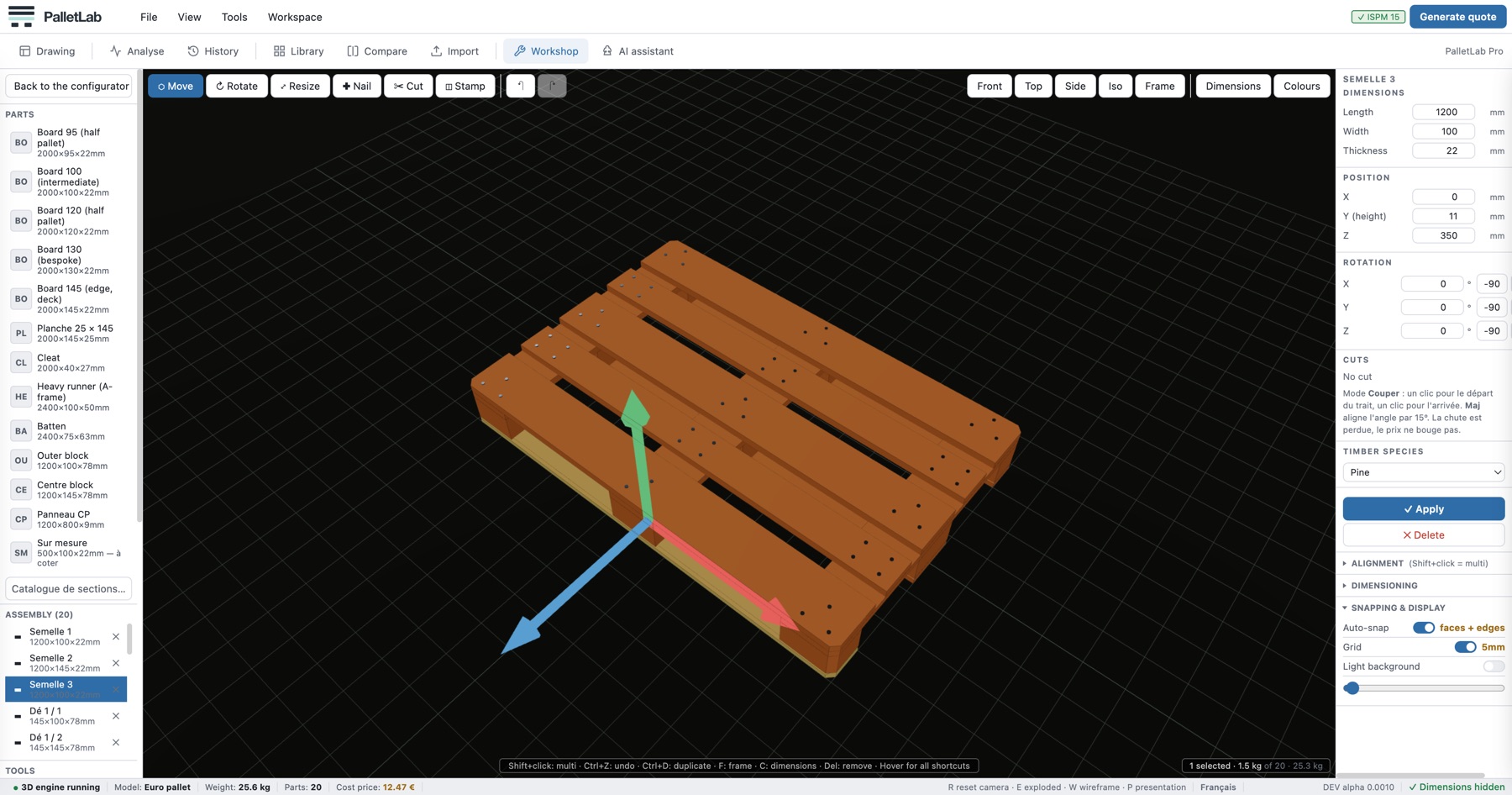
The free-form workshop.
When no standard model fits, you build board by board: magnetic snapping, spacing dimensions, alignment, repeat in a row, assembly analysis. Then cutting list and quote, exactly as for a catalogue model.
Try it on your own jobs.
Try PalletLab free for 3 days, no credit card, on your real quotes. Request your access: we get back to you to open it and help you get started.